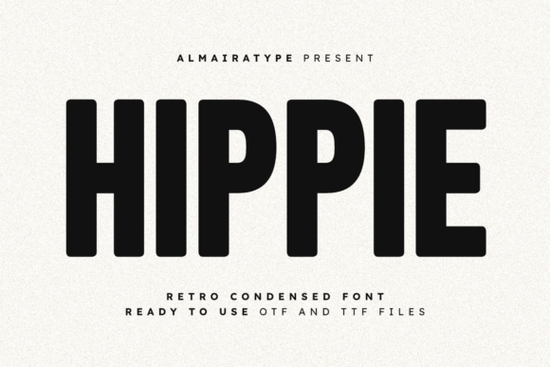
If you’ve been searching for a typeface that feels both nostalgic and fresh, Hippie Font might be exactly what your next project needs. It’s not trying to be flashy or overly decorative instead, it leans into that sweet spot where retro charm meets modern minimalism. The tall, condensed letterforms give your designs presence without feeling cluttered, and the soft, rounded edges add warmth. Whether you’re designing t-shirts, logos, social media posts, or vinyl decals, this font holds up beautifully across formats.
Who is this font actually good for?
It works especially well if you’re running a small clothing brand or selling print-on-demand products. The bold structure reads clearly even at smaller sizes, which matters when you’re printing on tags, stickers, or tote bags. Crafters using Cricut or Silhouette machines will appreciate how cleanly the letters cut no jagged corners or thin strokes that break apart. And if you’re a graphic designer tired of overused sans-serifs, try pairing Hippie with something like Modern Limited for contrast. That combo gives you vintage energy with contemporary balance.
How does it feel in real projects?
Unlike fonts that scream “look at me,” Hippie sits comfortably in the spotlight. It doesn’t fight with your imagery or overwhelm your message. Use it for:
- Apparel design Hoodies, caps, and tees with short slogans look sharp.
- Social media graphics Especially Instagram stories or Pinterest pins where space is tight.
- Editorial layouts Pull quotes or section headers gain personality without losing professionalism.
- Vinyl crafts Mugs, tumblers, wall decals the thick strokes survive weeding and transfers.
One thing users consistently mention: it scales well. Blow it up for a poster headline or shrink it for a product tag the proportions stay balanced. And because it’s condensed, you can fit more text in narrow spaces without switching to a thinner weight or compromising legibility.
What makes it different from other retro fonts?
Many retro-inspired fonts lean too hard into the 70s vibe think flared serifs, exaggerated curves, or groovy swirls. Hippie keeps things grounded. The influence is there, but it’s filtered through a minimalist lens. Compare it with Fantastic Moment, which has more playful bounce, or Godthem, which leans heavier into dramatic contrast. Hippie sits right in the middle structured enough for branding, relaxed enough for casual merch.
You’ll also find it plays nicely with photography. Overlay it on grainy film-style images or clean product shots either way, it complements rather than competes. That versatility is rare in display fonts, which often demand specific visual contexts to work.
Is it easy to use for beginners?
Absolutely. If you’ve ever installed a font before, you’re set. It comes in standard OTF and TTF formats, so it works in Canva, Adobe apps, Affinity, Silhouette Studio, and most design tools. No special plugins or scripts needed. Just install, select, and start typing.
For crafters, make sure your cutting software recognizes stroke thickness sometimes ultra-thin fonts cause issues, but Hippie’s sturdy build avoids that. If you’re unsure, test a single letter first. You’ll likely find it cuts smoother than many fonts labeled “craft-friendly.”
Where else could I use this beyond digital design?
Think physical branding. Coffee shop menus. Event banners. Packaging labels. Even signage for pop-up shops or farmers markets. Its clean lines read well from a distance, and the subtle retro touch adds character without looking dated. Pair it with neutral colors beige, olive, cream, charcoal and let the typography do the talking.
If you’re exploring similar styles, check out other condensed sans-serifs in the same family. Sometimes mixing weights or widths within a type system gives you more flexibility than jumping between unrelated fonts.
And if you want to see how others are using it, take a quick look at Hippie Font on Creative Fabrica. You’ll find real examples from sellers and designers always helpful when deciding if a font matches your aesthetic.
Before you download, here’s a quick checklist:
- Check your license Make sure commercial use is included if you’re selling products.
- Test readability Type out your most common phrases. Does it still feel clear at small sizes?
- Pair it intentionally Try one complementary font (like Godthem for contrast) instead of three random ones.
- Save installation files Keep the original download in case you switch computers or need to reinstall.
Fonts like this don’t come around often simple enough to be useful every day, distinctive enough to make your work stand out. If you’ve got a project that needs personality without chaos, give it a try.
Explore Design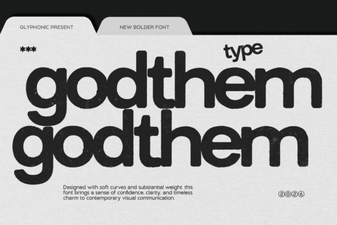 Godthem Font: Creative Projects & Design Ideas
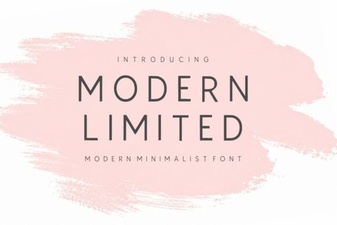 Modern Limited Fonts: Elegant & Creative Applications
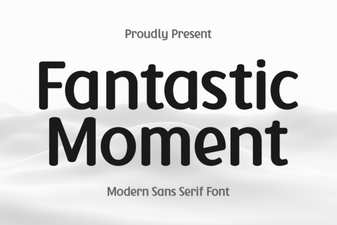 Fantastic Moment Font: Design Inspiration & Uses
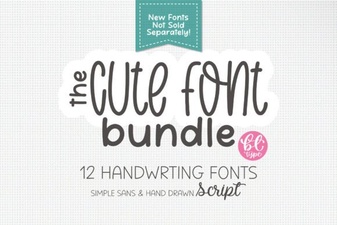 Cute Handwriting Font Bundle for Creative Projects
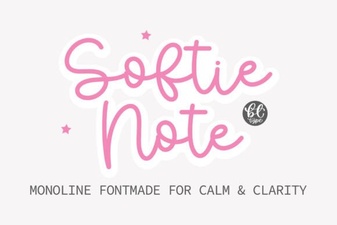 Softie Note Font: a Creative Handwriting Typeface
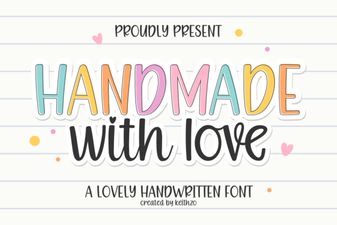 Download Handmade with Love: a Creative Cursive Font