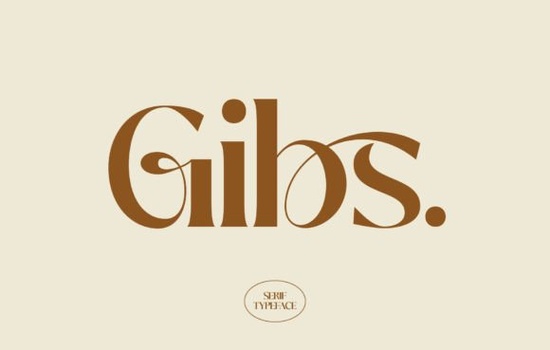
If you’ve been searching for a serif font that feels both classic and fresh, Gibs might be exactly what your next project needs. It’s not flashy or overly decorative instead, it leans into clean lines, balanced proportions, and subtle serifs that give it a quiet confidence. Whether you’re designing wedding invitations, boutique packaging, or editorial layouts, Gibs adds polish without overpowering your message.
What makes this font stand out is how effortlessly it adapts. You can pair it with minimalist sans-serifs for contrast or let it shine solo in elegant headlines. The letterforms have just enough character to feel intentional, but not so much that they distract. If you like fonts like Raffined or Wolmer, you’ll probably appreciate the same thoughtful craftsmanship here.
Where does Gibs work best?
Serif fonts like Gibs tend to carry more emotional weight than their sans-serif counterparts. That’s why they’re often chosen for projects where tone matters think luxury branding, book covers, or upscale product labels. Here are a few places where Gibs really fits:
- Wedding stationery – Its graceful curves and open spacing make names and dates feel personal and refined.
- Editorial layouts – Long-form reading? Gibs holds up well in body text thanks to its legibility at smaller sizes.
- Product packaging – Especially for beauty, tea, wine, or artisan goods anything that benefits from a “handcrafted” or premium vibe.
- Social media graphics – Use it for quote cards or announcement banners where you want to stand out without shouting.
It also plays nicely with other fonts. Try combining it with something clean and modern like fonts from the Modern Serif Bundle for layered typography that still feels cohesive.
Is Gibs beginner-friendly?
Absolutely. Even if you’re new to typography, Gibs doesn’t require heavy tweaking to look good. The kerning (space between letters) is well-balanced out of the box, and the weights included give you flexibility without overwhelming you with options. Most users find they can drop it into Canva, Adobe Illustrator, or even Silhouette Studio and get professional-looking results right away.
One thing to note: because it’s a serif, avoid using it at very small sizes on low-resolution screens like tiny app buttons or mobile footers. Stick to print, large digital displays, or high-res exports where the details can breathe.
How does it compare to similar fonts?
Gibs sits comfortably between traditional and contemporary. It doesn’t go full Victorian flourish like some ornate serifs, nor does it strip down to stark minimalism. Think of it as the typographic equivalent of a tailored blazer structured but not stiff.
If you’ve used Raffined, you’ll notice Gibs has slightly softer terminals and a more relaxed rhythm. Compared to Wolmer, it’s less geometric and more organic in flow. And while the Modern Serif Bundle gives you variety across moods and weights, Gibs offers a focused, singular voice that’s easy to build around.
Who should consider downloading Gibs?
This font isn’t trying to be everything to everyone and that’s a good thing. It’s ideal if you:
- Run a small business and need branding that feels elevated but approachable.
- Create print-on-demand products and want typefaces that photograph well.
- Design for clients who value subtlety over trendiness.
- Just enjoy working with fonts that have personality without being loud.
Crafters especially love it for vinyl cutting and embroidery digitizing because the strokes are consistent and don’t break apart easily at scale. Small business owners use it for logo mockups, thank-you cards, and Instagram story templates. Designers lean on it when they need something “classy but not corporate.”
Any tips before you download?
Before you grab Gibs, check what’s included in your license. Creative Fabrica usually offers commercial use, which covers most small business needs but always double-check if you’re planning mass production or resale of the font files themselves.
Also, take a minute to test it with your usual workflow. Does it install smoothly in your design software? Do the OpenType features (like ligatures or stylistic alternates) work as expected? Most users report zero issues, but it never hurts to preview before committing.
Quick checklist before using Gibs:
- ✅ Test readability at your intended size especially for body text.
- ✅ Pair with a simple sans-serif for contrast if needed.
- ✅ Avoid ultra-thin weights on textured backgrounds or low-res prints.
- ✅ Check licensing terms if selling physical/digital products.
Fonts like Gibs remind us that good design doesn’t need to shout. Sometimes, the quiet ones the ones that let your content lead are the ones that stick around longest.
Download Now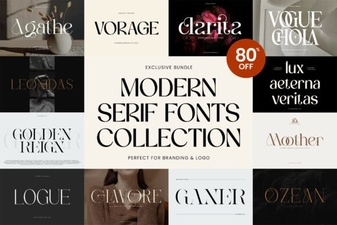 Modern Serif Font Bundle for Creative Design Projects
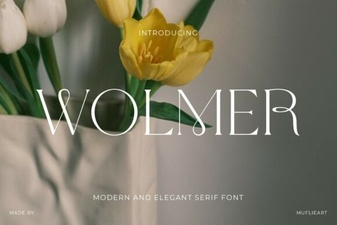 Wolmer Font: a Modern Geometric Typeface
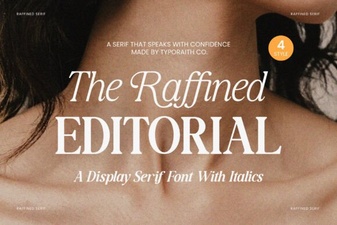 Versatile Typography for Modern Creative Projects
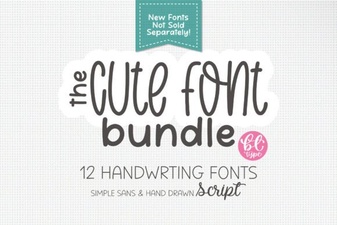 Cute Handwriting Font Bundle for Creative Projects
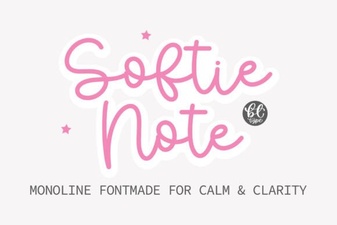 Softie Note Font: a Creative Handwriting Typeface
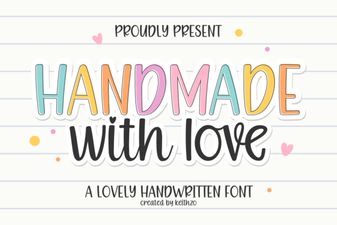 Download Handmade with Love: a Creative Cursive Font